Setting up your Stripe account is crucial to ensure you receive payouts every month. Create Marketplace does not issue cash or checks for payouts.
To set up your Stripe account log into the vendor portal > profile > scroll down to payouts > click on "I already have a Stripe account" or "I do not have a Stripe account" > click link my account. You will be redirected to Stripe within the same tab, follow the instructions to connect your account.
Setting up a business Stripe account? You will need the following:
- EIN (Employer Identification Number)
- Your OWN website URL
- Other supporting documents may be required by Stripe

Setting up a personal Stripe account? You will need the following:
- SSN (Social Security Number)
- Website (use www.createmarketplace.co)
- Other supporting documents may be required by Stripe
If you see this message when you sign into the vendor portal your Stripe account is NOT connected and you will NOT be able to receive payouts.

You can click the button "Add payment method" and be directed to the Stripe connection (see image below)
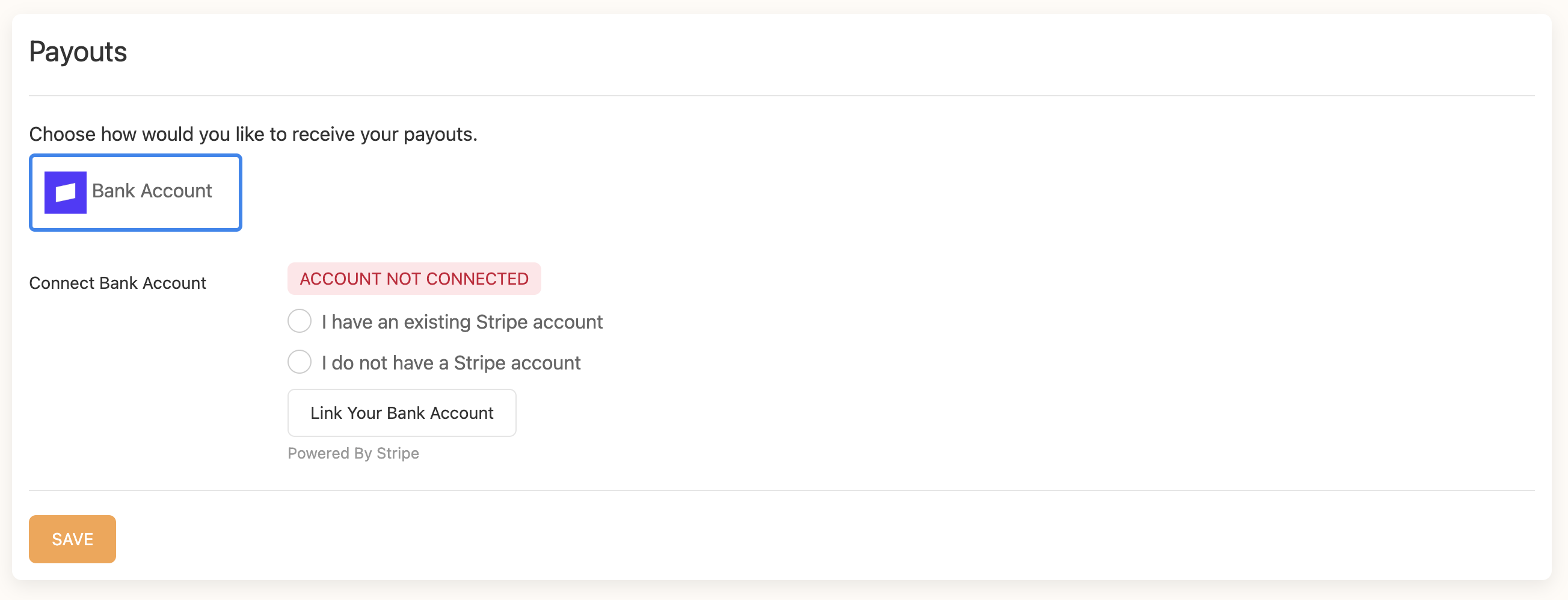
You may see three different tags:
- Account not connected (red)
- Account setup incomplete (yellow)
- Account connected (green)
Ensure it says "account connected" and it's green.
We have some reports after finishing on Stripe vendors receive and API error, please refresh the screen or log back into the portal and check the payouts section (image above) to see account status.
Was this article helpful?
That’s Great!
Thank you for your feedback
Sorry! We couldn't be helpful
Thank you for your feedback
Feedback sent
We appreciate your effort and will try to fix the article